Getting Claude to request an Apple refund
Claude found the receipt in my email, drove my browser to Apple's Report a Problem page and stopped twice to let me take over.
This morning Apple charged me £5.99 for PhotoSync Premium (yearly). I’d started a free trial two weeks earlier, forgot to cancel it, and don’t use the app.
Instead of clicking through Apple’s refund flow myself, I asked Claude Code:
I got a notification for Apple, Order ID ML4L9YKVZD (see Fastmail), for a product I don’t use and forgot to trial. I want my money back. Can you control my computer and try to get a refund?
What Claude did
- Found the receipt. Through the Fastmail MCP connector, Claude searched my mail for the order ID and read Apple’s receipt. From it, Claude got the app, the price and the charge date. The receipt also notes that UK customers can cancel within 14 days.
- Opened my browser. Using the Claude in Chrome extension, it opened a new tab in its own tab group and went to reportaproblem.apple.com.
- Stopped at the login. Apple wanted my Apple Account password. Claude doesn’t enter passwords, so it asked me to sign in in that tab and say when I was done.
- Filled in the form. It closed a Family Sharing notice, then read the page’s accessibility tree to set the dropdowns: Request a refund, then I did not intend to renew a subscription(s). That’s more reliable than guessing where to click on a screenshot.
- Checked the purchase. It ticked only the PhotoSync line, then zoomed in to confirm the order ID and £5.99 matched the receipt. My iCloud+ charges sat just below, and it left them unticked.
- Asked before submitting. It summarised the request (item, reason, amount) and waited. I said go ahead.
- Confirmed it went through. It clicked through Apple’s “Request a Refund” confirmation and read back the result: Your request has been submitted, with a decision expected by 3 November. Then it closed its tab.
What I liked
Claude handled the tedious parts: finding the email, matching the order and getting through Apple’s form. It stopped at the two points where I should be involved:
- Signing in. My password stayed with me.
- Submitting. It didn’t send anything that couldn’t be undone until I said yes.
It also had a fallback ready. If Apple turns the request down, I can try again under Right of withdrawal, which applies within the UK’s 14-day period.
Reading email through MCP plus a browser it can drive turns a “life admin” chore into a one-line request.
Cancelling should mean a refund
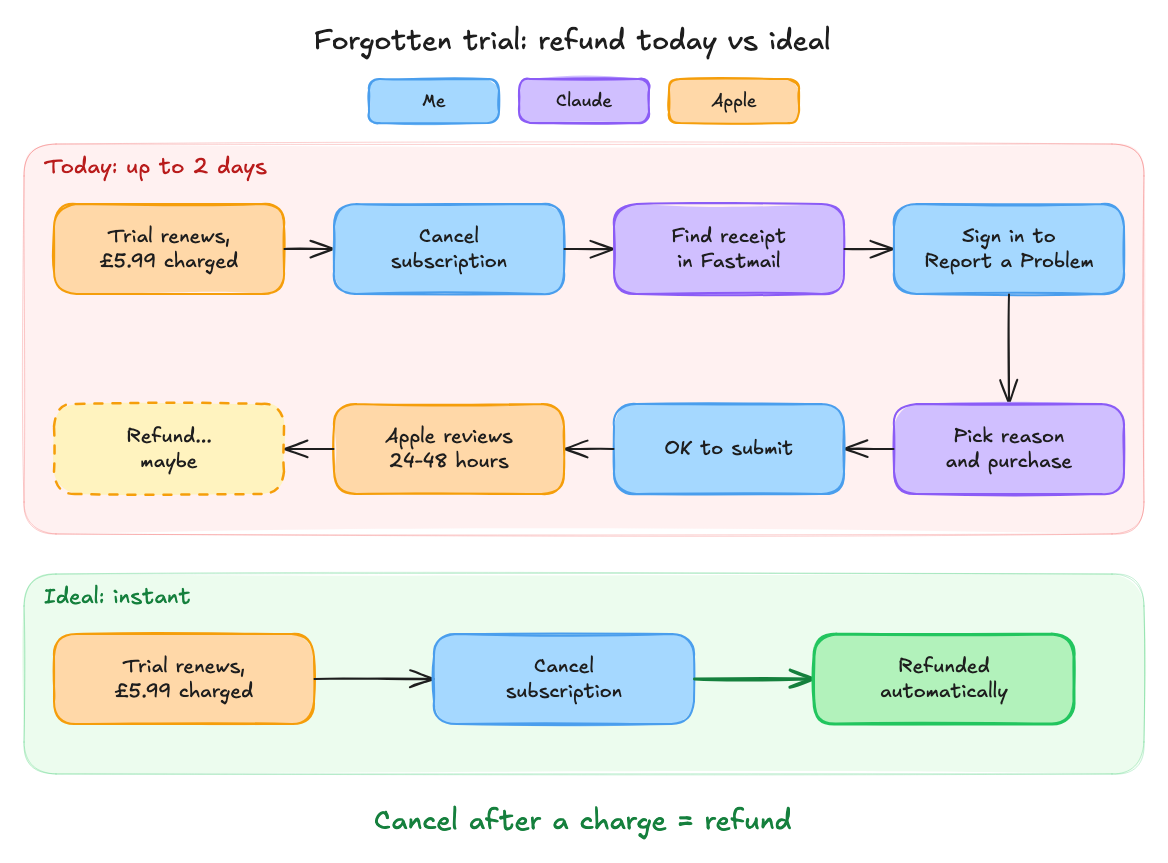
I’d already cancelled the subscription, so Apple knew I didn’t want it. Getting my £5.99 back still meant a separate claim, a reason picked from a dropdown and up to two days’ wait. Claude made that easy, but the process shouldn’t be needed at all.
In my ideal world, cancelling after being charged gets you a refund.
Update: I’ll note here whether Apple approves the refund.